Platform

Built for the hardest part of selling a building. Getting the number right.

Everything on this page is built and running. Some of it is the contractor's side, some of it is what the customer sees, and each piece is labeled honestly.

  • In useBuilt and used on real jobs today.
  • Private testingBuilt and being tested privately. Not publicly launched.
In useContractor side

Every piece counted

Describe the building and the estimator works out the job piece by piece: posts, trusses, girts, purlins, roof and wall steel, trim, fasteners, doors and windows. No square-foot guessing.

  • Framing laid out around the real openings, the way a crew would build it.
  • Porches, lean-tos, wainscot, overhangs and sliding doors in the same calculation.
  • Estimating rules are checked with automated regression testing.
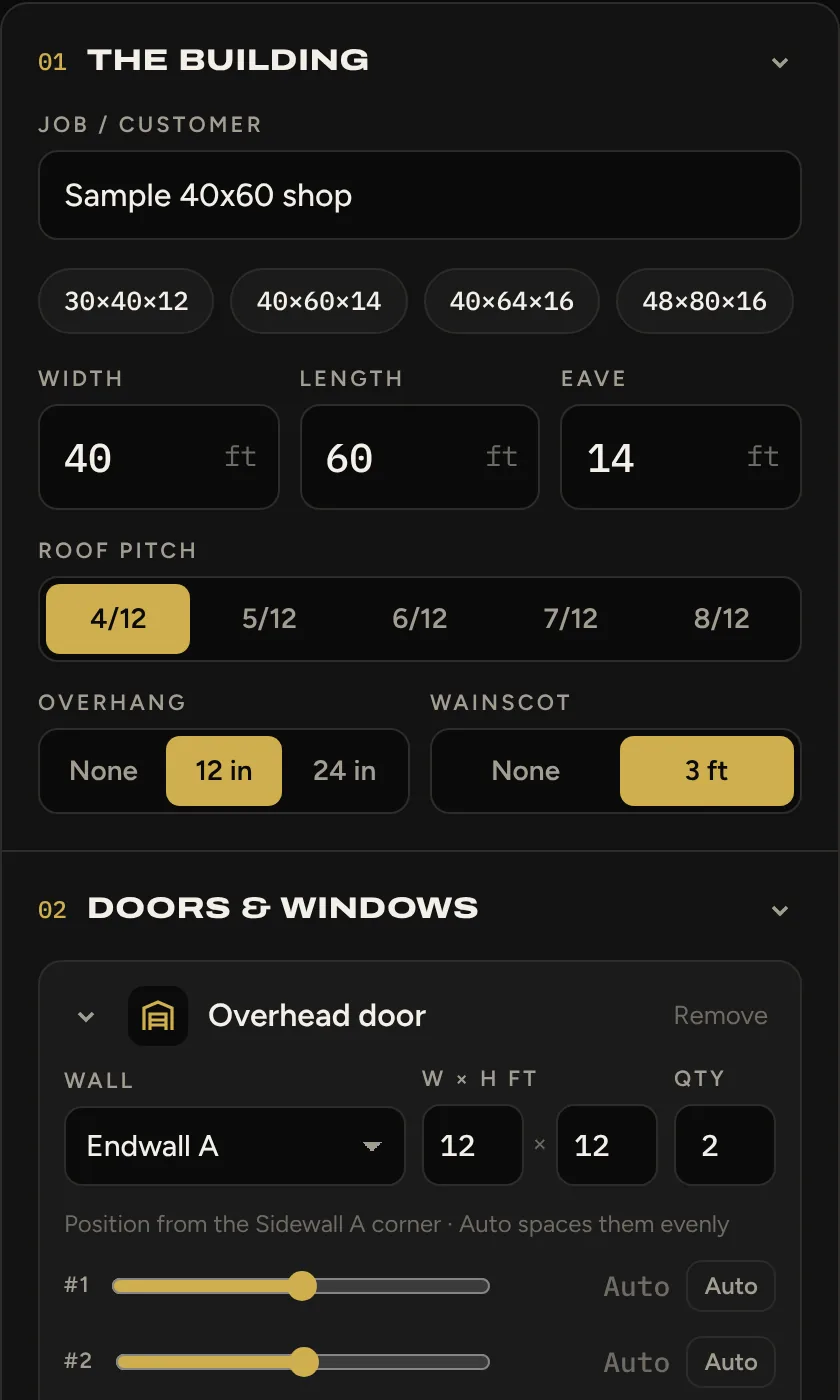
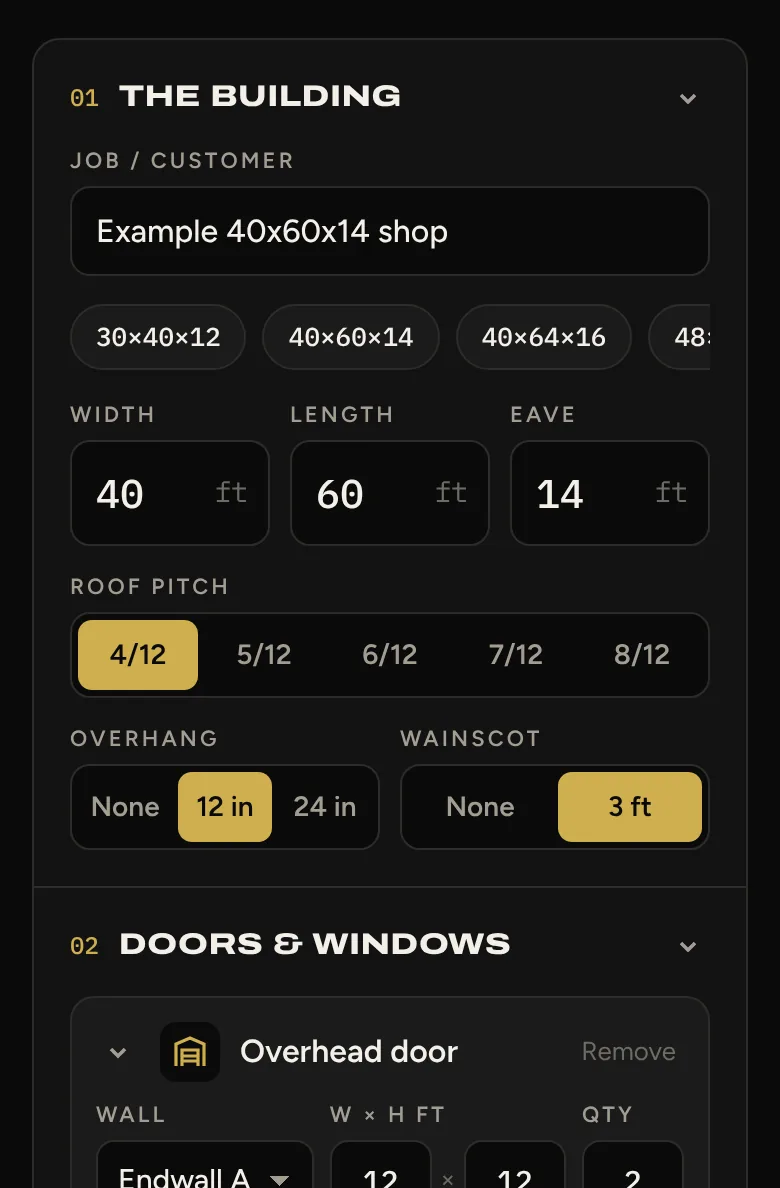
The contractor-side CoreBraced estimator's input form, with sections for the building size, roof pitch, overhang and wainscot, and doors and windows.
In useContractor + customer

See what you're selling

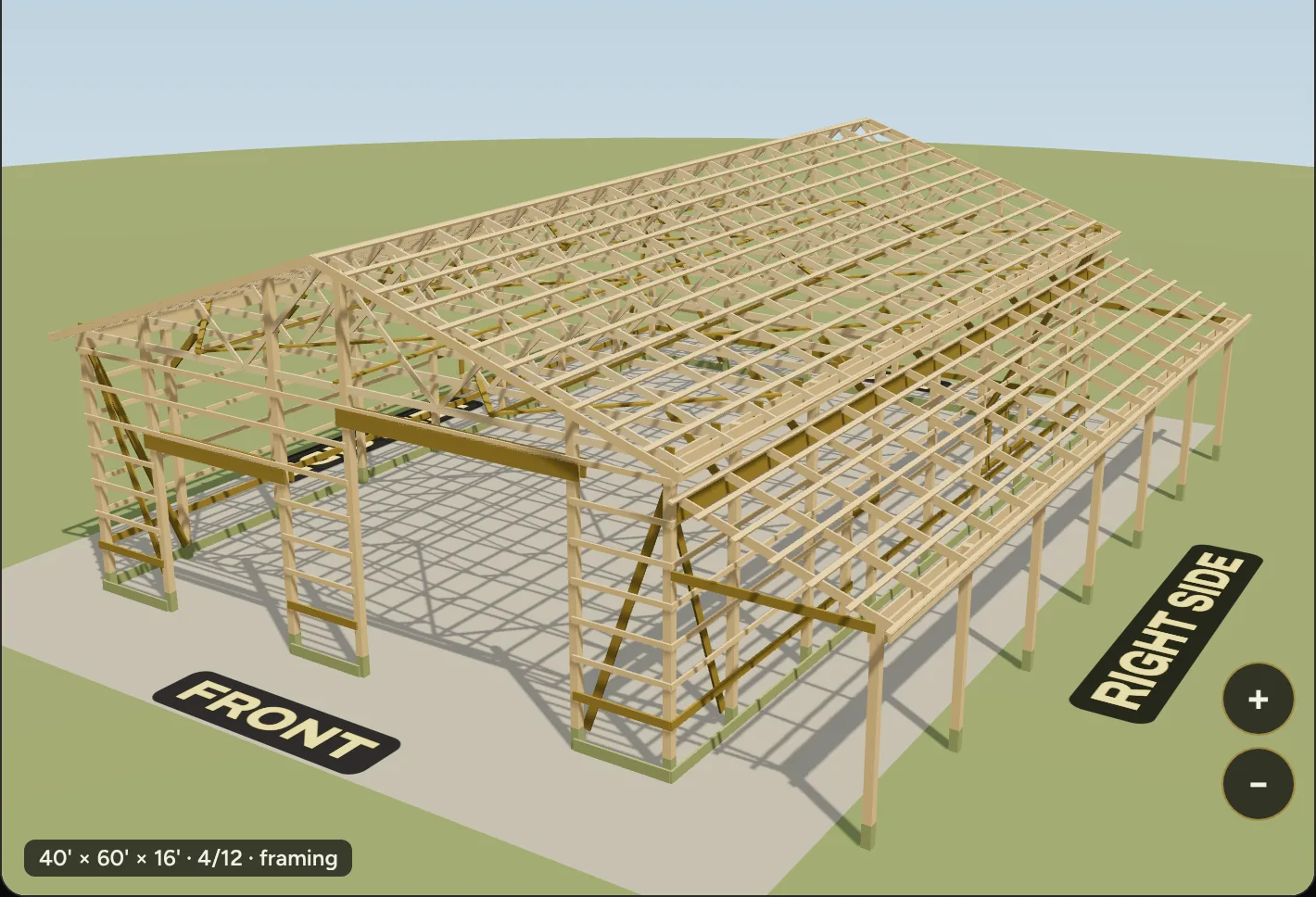
The building is drawn in 3D as it's configured. Lift the steel off and you see the framing the estimate is actually counting.

  • Finished view with roof, wall, wainscot, trim and door colors.
  • Framing view drawn from the takeoff itself, not a stock model.
  • Spin and zoom on a desktop, drag and pinch on a phone.
The 3D framing view of a sample building with the steel removed, showing posts, girts, trusses and purlins.
Private testingCustomer-facing

Customer-ready quoting

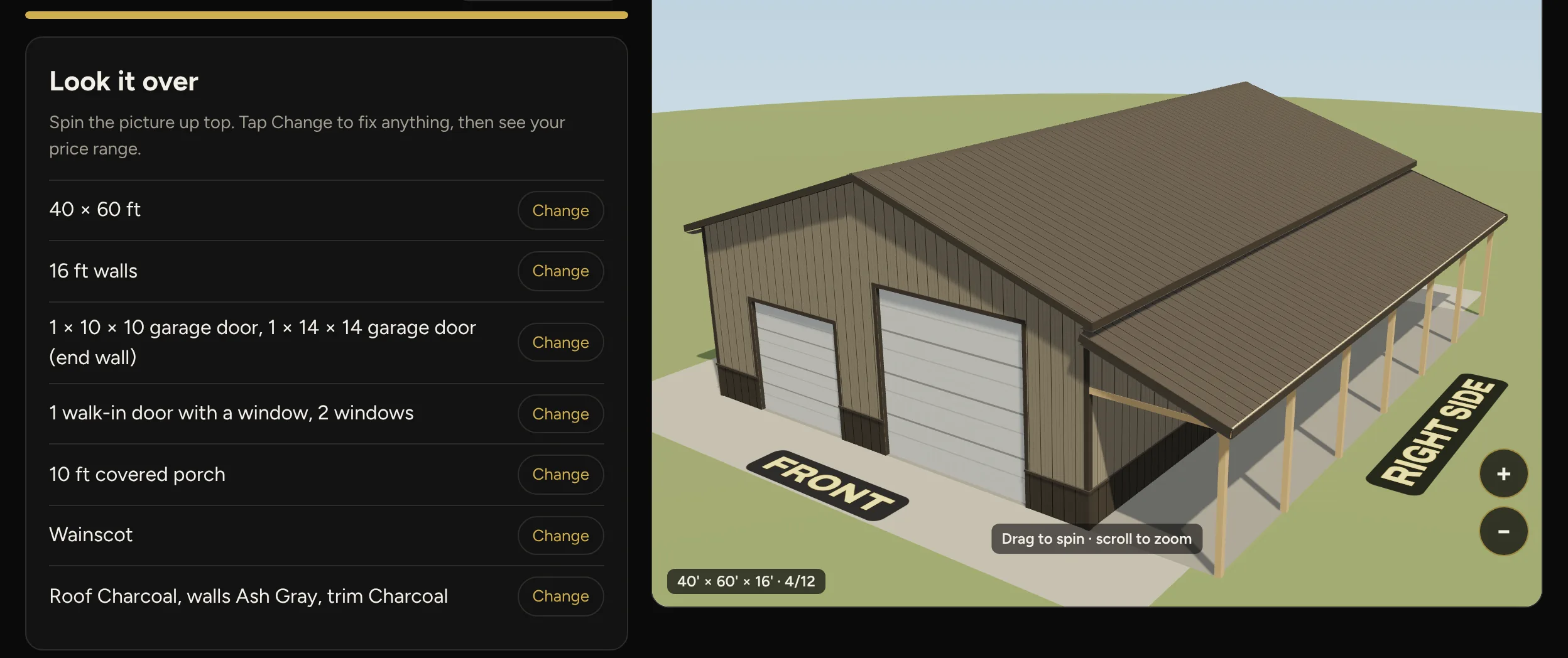
A plain-language builder customers can use themselves. Pick a starting building, change anything, and see a price range for having it built or for the material package.

  • One decision per screen. No construction vocabulary required.
  • Customers place their own doors and windows and add a porch or lean-to.
  • Shows a price range, never the cost breakdown behind it.
  • Designed phone-first.
The CoreBraced building configurator's review step listing size, walls, doors, windows, porch, wainscot and colors, beside a 3D model of a 40 by 60 foot building with a covered porch.
In useContractor side

Works from the truck

The contractor-side estimator runs in a phone browser, so a building can be priced from the driveway.

  • Same engine on a phone, tablet or desktop.
  • Nothing to install.
The contractor-side CoreBraced estimator on a phone, showing building size, roof pitch, overhang, wainscot and door inputs.
In useContractor side

Quotes that stick

Every quote is saved as it's run, can be reopened later, and turns into a printable customer proposal.

  • Quote history with proposal numbers, dates and an expiration window.
  • Proposals show the building and options, never internal cost or margin.
  • Reopening an old quote re-runs it as a new entry, so the original stays as quoted.

Screens on this page were captured with sample buildings. Customer information, pricing, costs and supplier data are never shown.

Want to see it on your kind of building?

Tell us what you build and where your current software falls short.