The connected contractor platform
From the first click to the final job cost.
Estimating for barns, concrete, roofing and snow, customer quote tools, CRM, jobs, crews, purchasing and job costs, connected in one system.
ProofA homeowner taps their roof on an aerial photo, sees a price range in about two minutes, and you get the lead with their phone number.
In use with select contractors. Not yet open for public accounts.
One connected platform
Enter it once. Every step after uses it.
The customer's own design starts the record. The design drives the estimate. The saved quote becomes the proposal, the contract and the job. The job's material list becomes purchase orders, its budget tracks committed and actual costs, and the crew works from the same record.
Capture
Customers price their own project online and leave a phone number.
Design
The building or layout in 3D, by you or your customer.
Estimate
Material quantities and labor from that same design.
Sell
Proposal and contract from the saved quote; won projects become jobs.
Plan
Crew plan sheets generated from the estimate.
Purchase
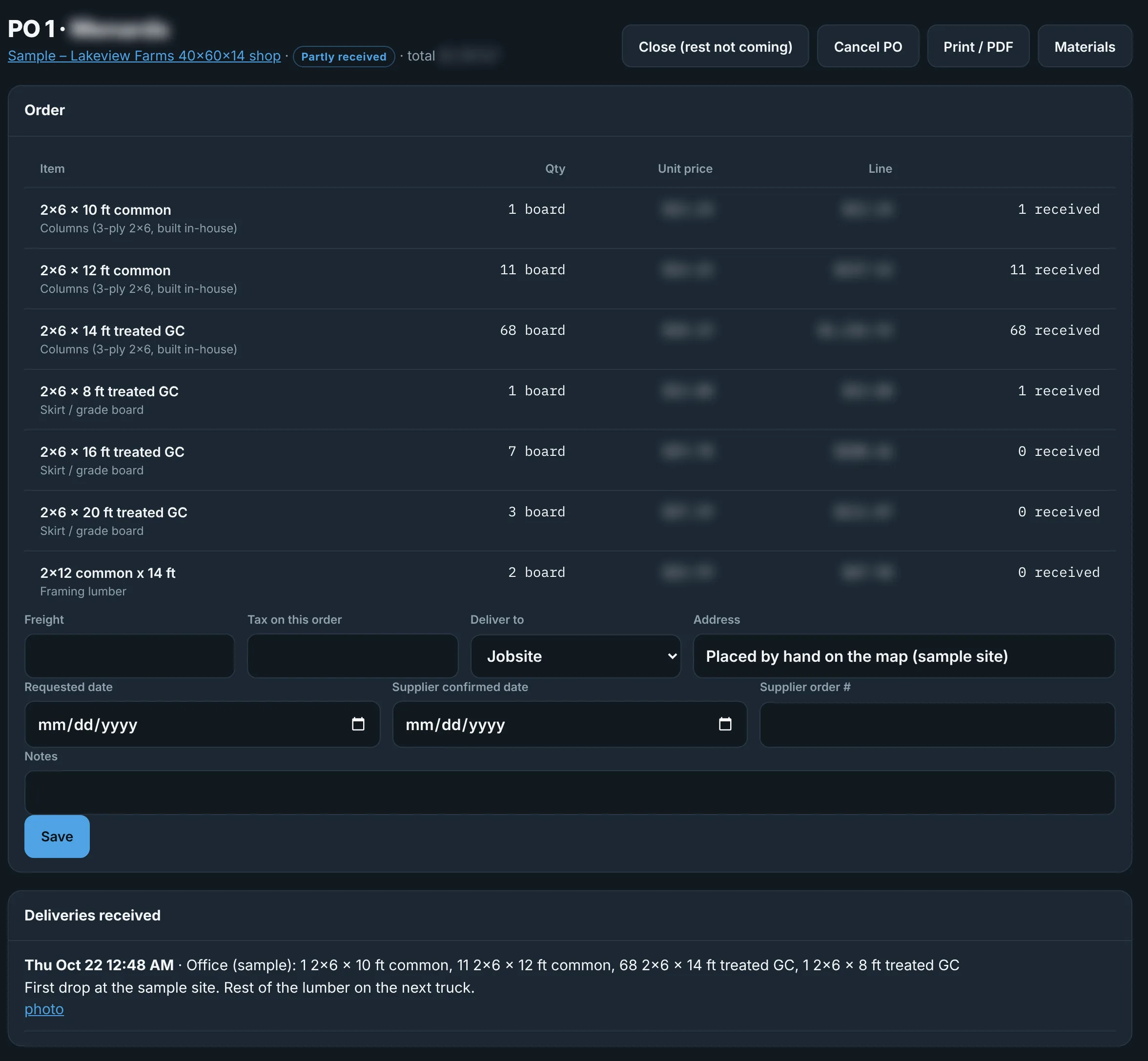
Purchase orders from the job's material list.
Build
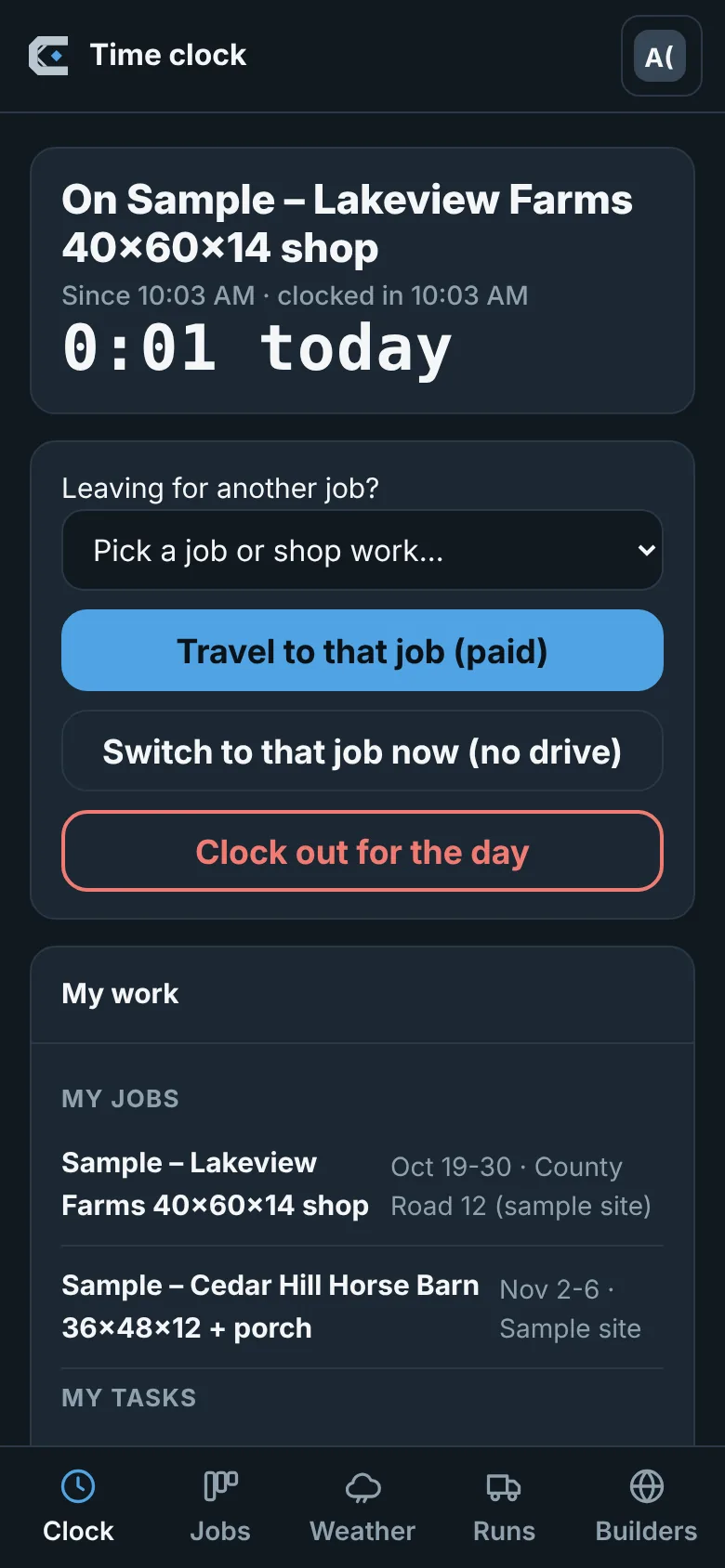
Schedule, crew tasks, time clock and field reports.
Track
Budget, committed and actual costs on the job.
How it connectsDesignEstimateProposalContractJobPlansPurchasingCrewCost
Specialized for the work
Shared platform. Specialists for each trade.
Every trade plugs into the same customers, jobs, purchasing and costs. Each one gets estimating built on its own rules.
Post-frame construction
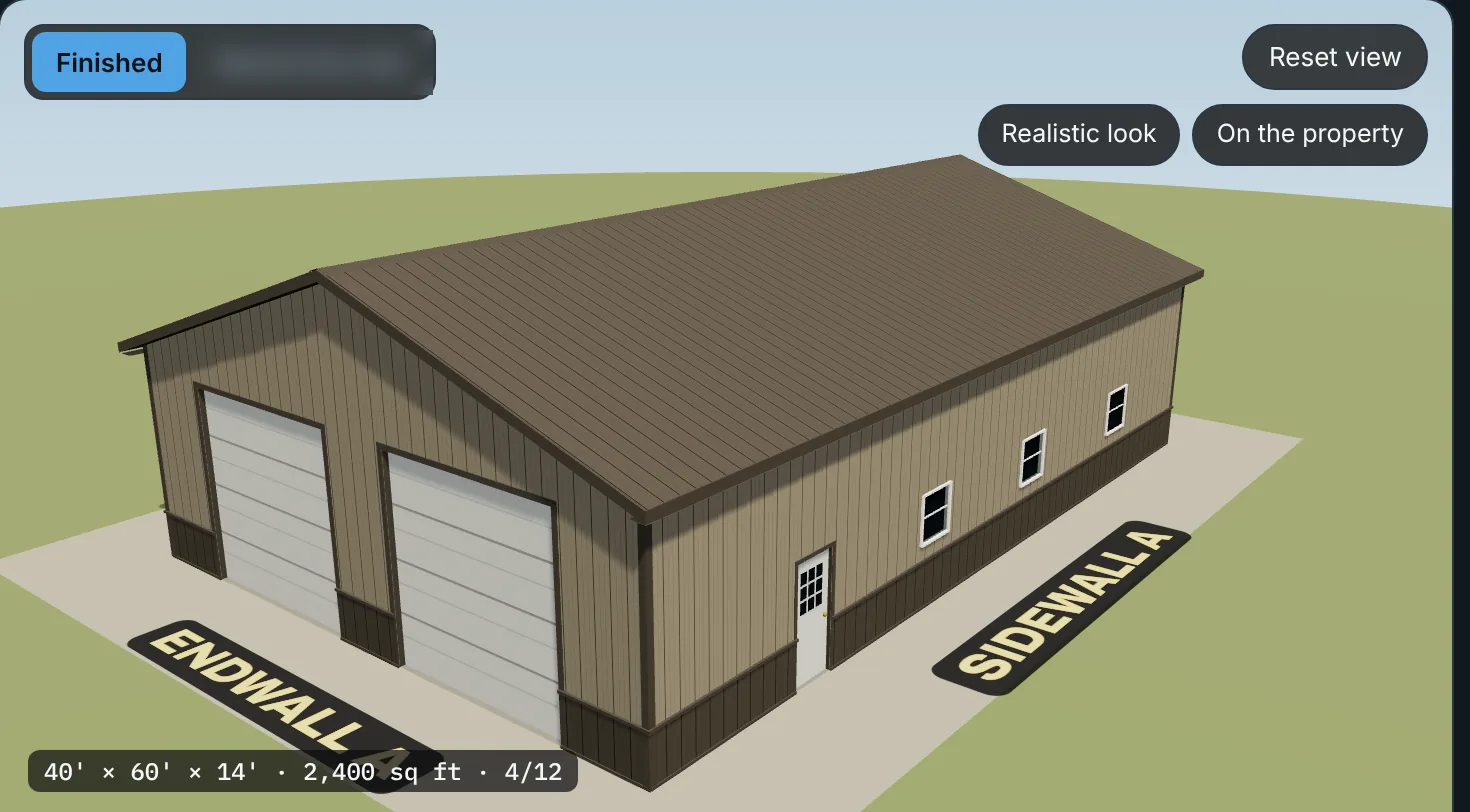
Our deepest specialty. Design the building in 3D, generate the material takeoff piece by piece, and hand the crew a plan packet built from the same estimate.
Concrete flatwork
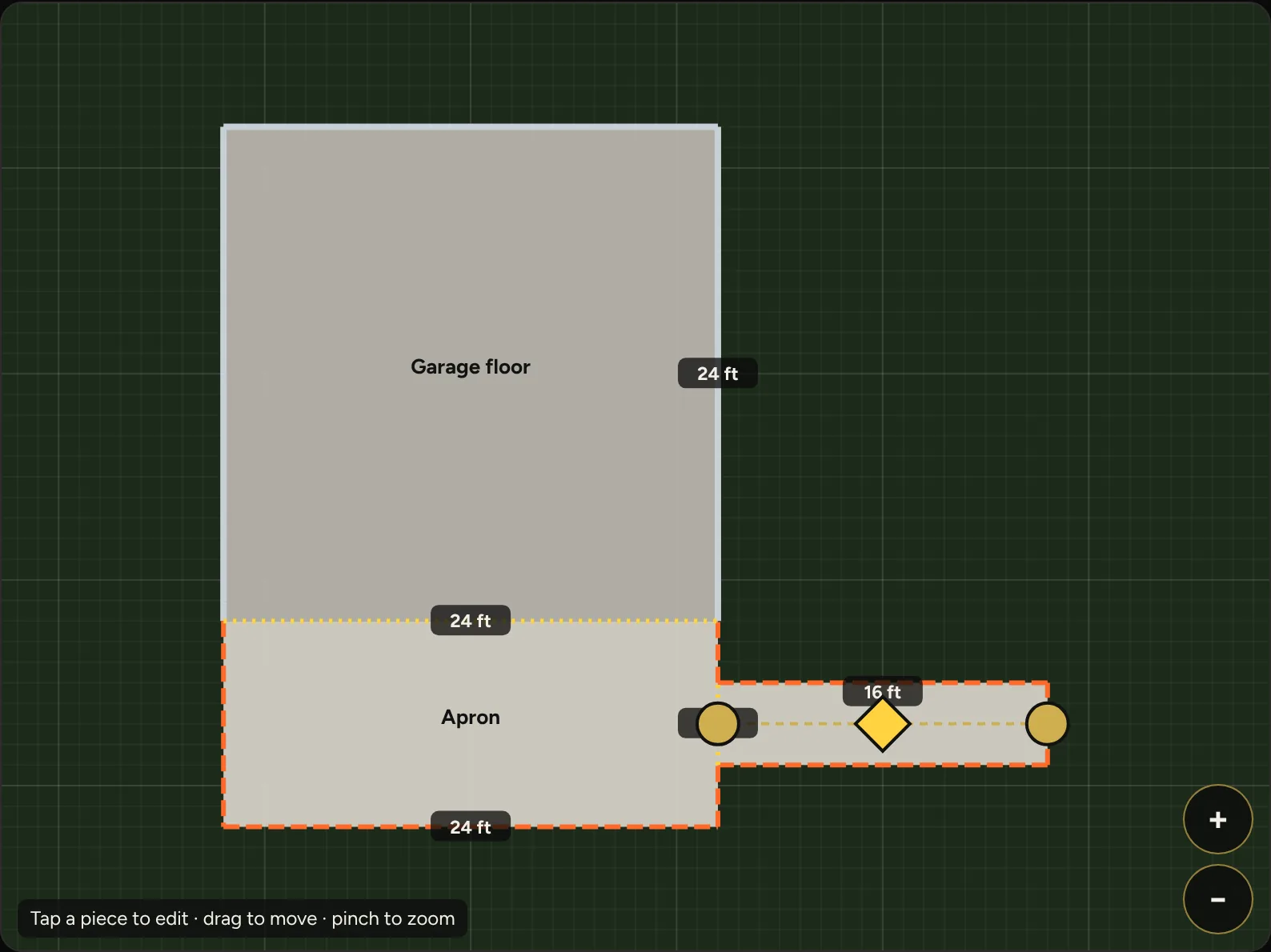
Floors, aprons, driveways, patios and sidewalks. Draw the layout, see it in 3D layer by layer, and price it from real material quantities and crew visits.
Roofing quotes
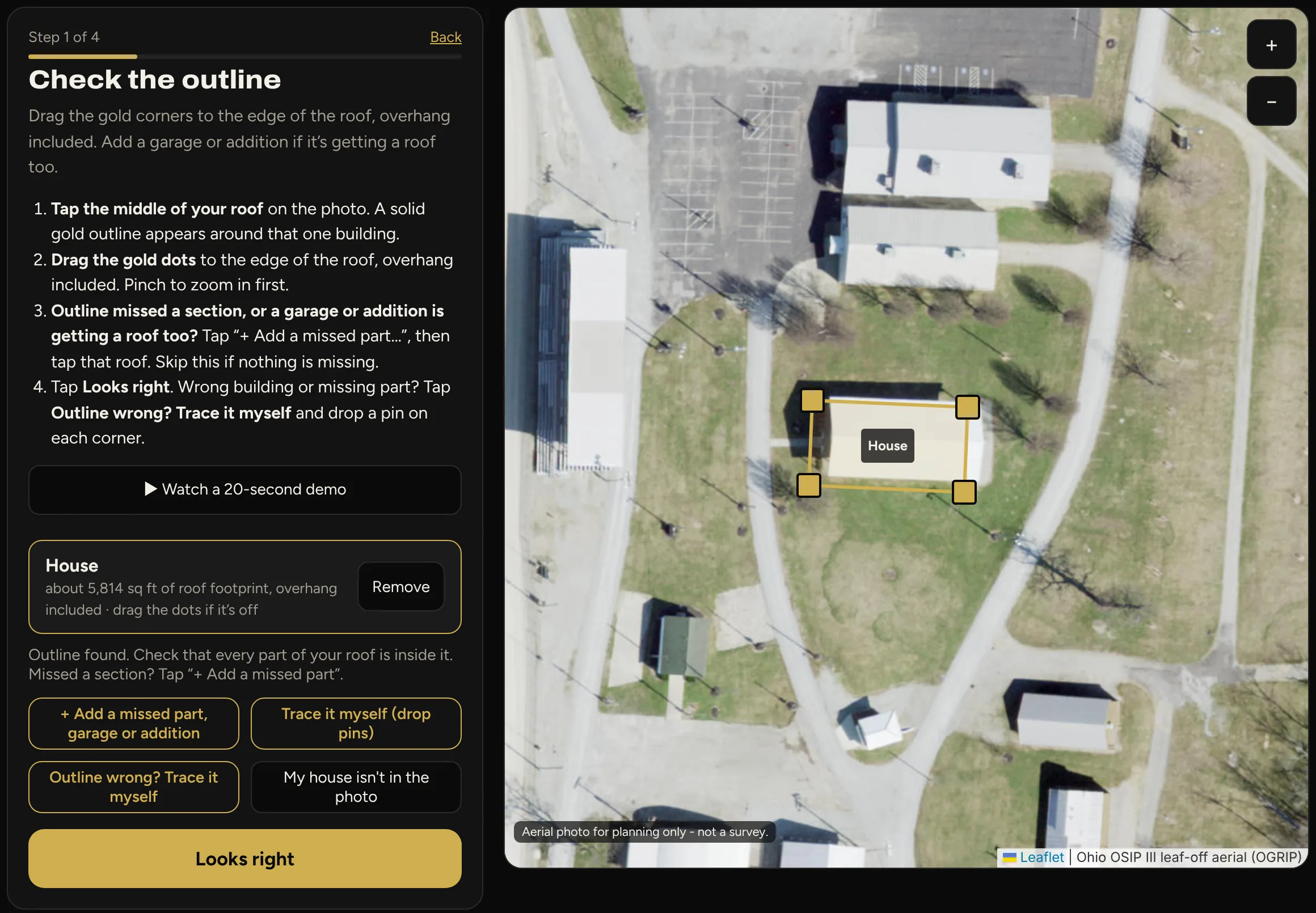
A homeowner taps their roof on an aerial photo and the outline snaps on. They answer a few plain questions and see shingle and metal price ranges side by side. The request reaches the office with the outline attached.

Residential snow plowing quotes
A homeowner types an address, the page looks for the driveway on the satellite photo, and they fix it or draw it. They pick width, surface and extra areas and see a per-visit price range and a season estimate.
Quotes and leads only. Plow routes, dispatch and billing are not built.

Siding quotes
An instant siding quote from the customer's address, on the same map tools as the roof quote. The office wall takeoff is started; prices and the customer page are not done.
Mowing quotes
An instant mowing quote from the customer's address. Not built yet.
Every trade runs on the same customers, jobs, purchasing, crews and costs.
Let customers price it themselves.
Customer-facing builders and instant quote tools a homeowner finishes on a phone. They show real price ranges from your own pricing rules, never your costs.
- Pole barn builder and concrete designer your customers use on their own phone: 3D, a price range and a save-and-resume link.
- Roof and snow plowing quotes: the customer types an address and the tool pulls the rest. Built and live
- Siding and mowing quotes from an address. Coming next
- Your branding, your domain: the pages carry your company's name and run on your own web address.
- Every finished page lands in your CRM as a lead.
- Visitor tracking for the quote pages: funnel steps, where buyers drop off and which ad brings real leads. No cookies, no fingerprinting.
- A helper that walks the customer through the steps. It never gives a price.
These pages are in use with select contractors' customers. CoreBraced itself is not open to other companies yet.
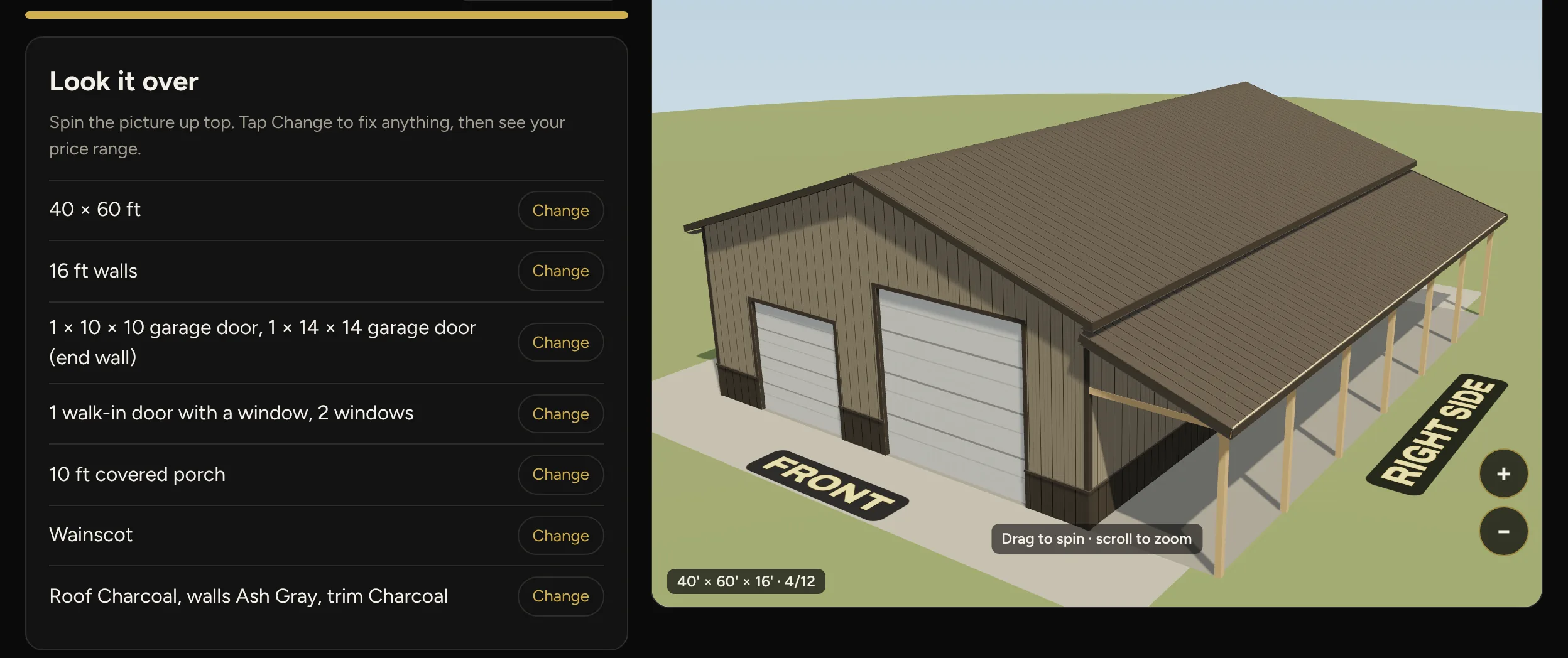
Design it in 3D. Count it piece by piece. Hand the crew the plans.
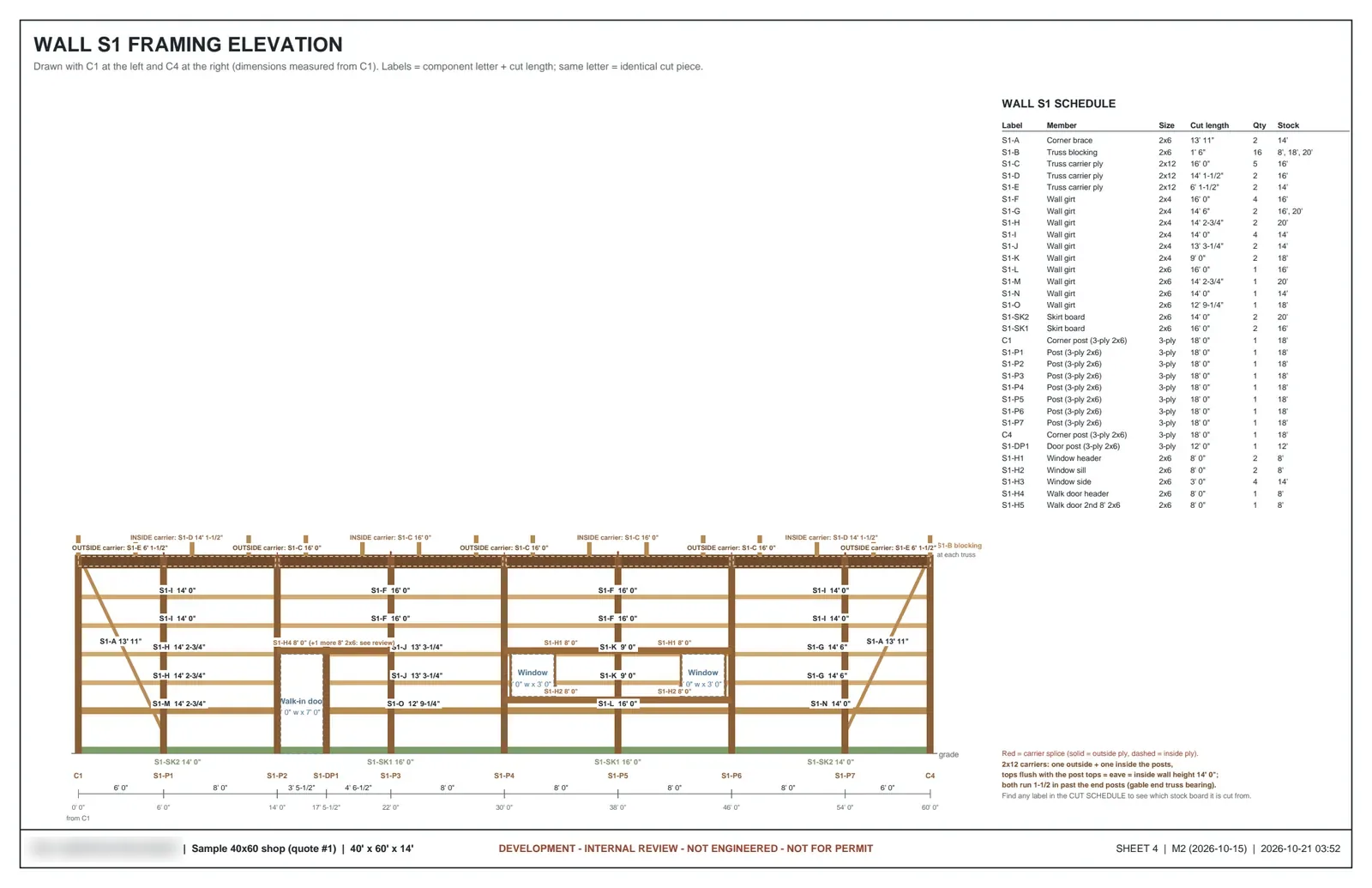
Post-frame quantities come piece by piece from the actual building, not a square-foot guess. The same estimate draws the crew's plan packet: footprint and post layout, wall framing elevations, 3-ply column fabrication sheets and cut lists.
- Interactive 3D estimator with a framing view of every post, girt, truss and purlin.
- Detailed takeoffs for posts, trusses, girts, purlins, steel, trim and fasteners.
- Crew plan sheets picked per crew and sent to their phones.
Plan sheets are planning and crew documents, not engineered or permit drawings. Every sheet is stamped that way.
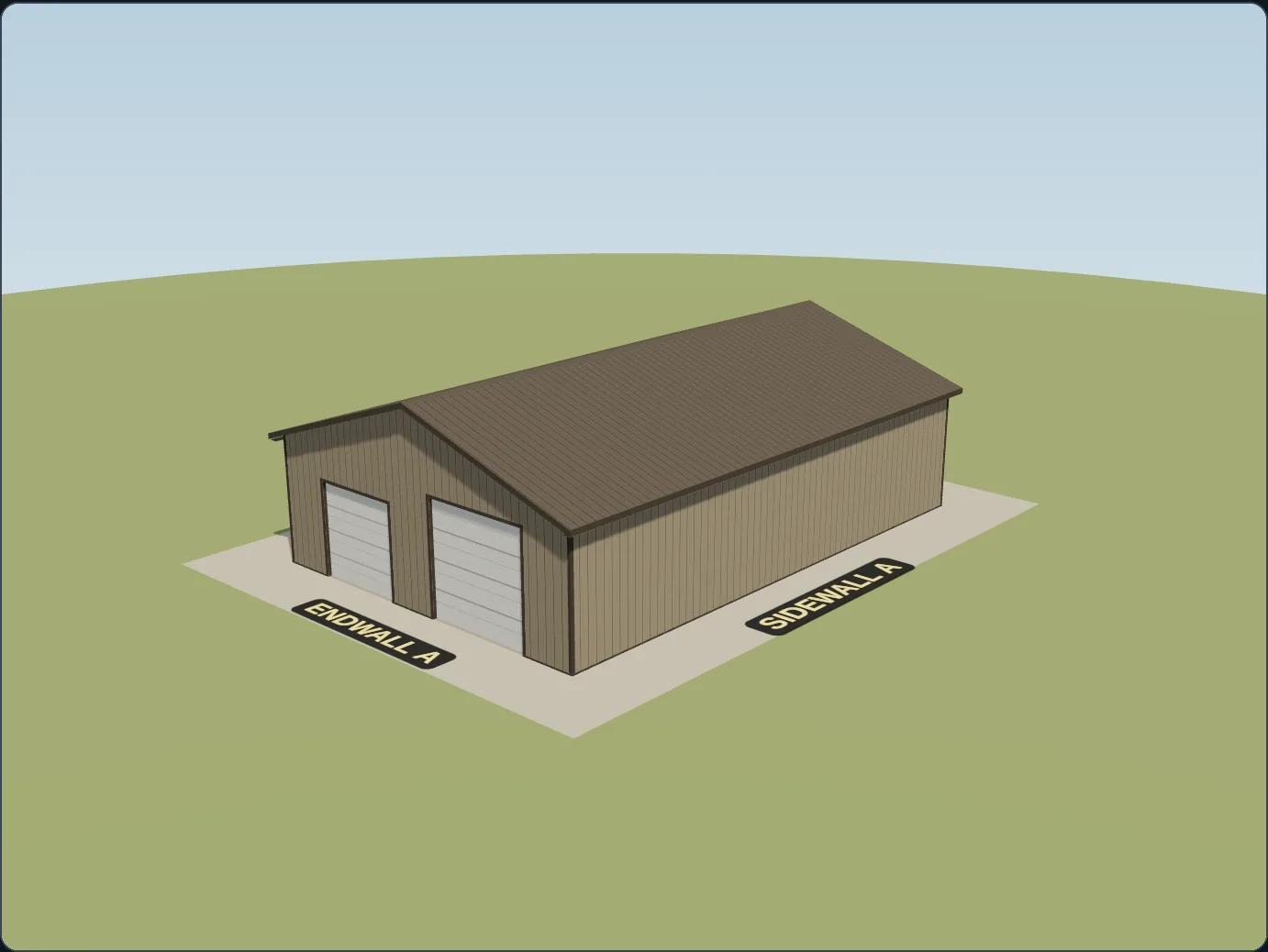
Built from the same geometry the estimator uses. Demo buildings only; no prices or quantities shown.
See it run on your kind of work.
A private walkthrough of the estimator, the plans and the job tools, on a building like the ones you build.
Jobs, crews, purchasing and costs on one record.
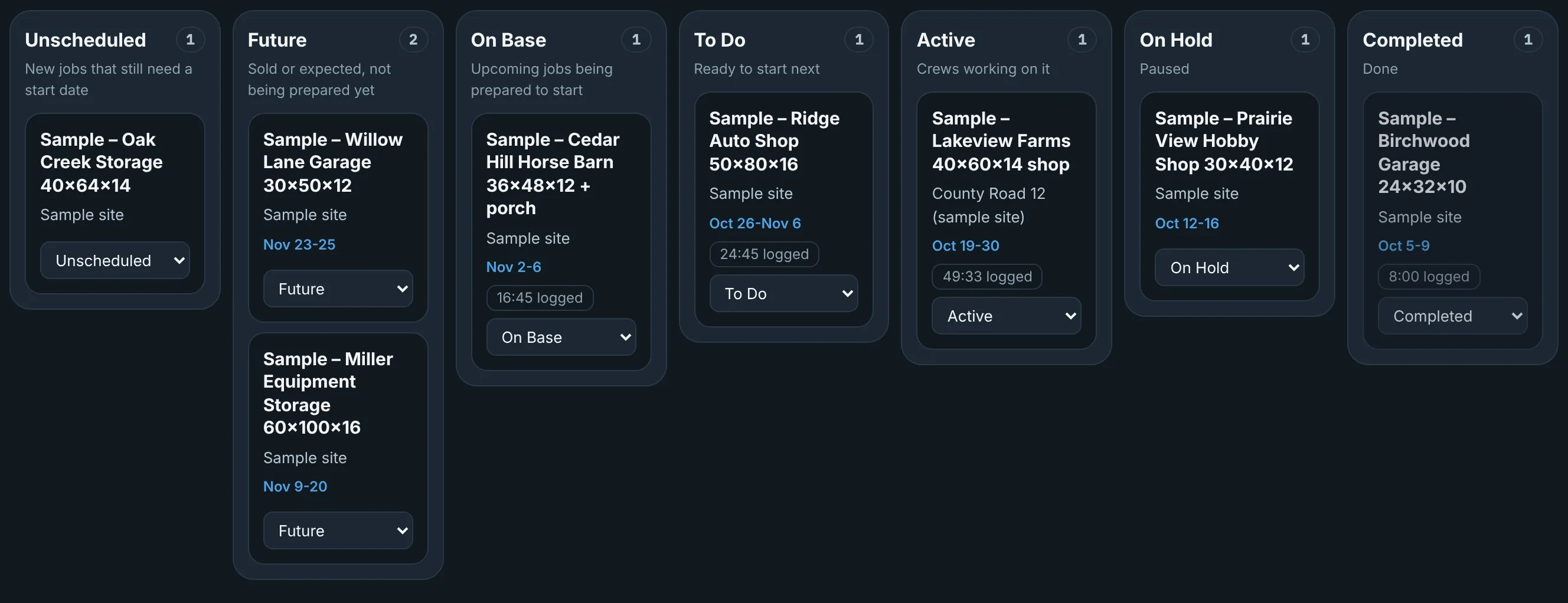
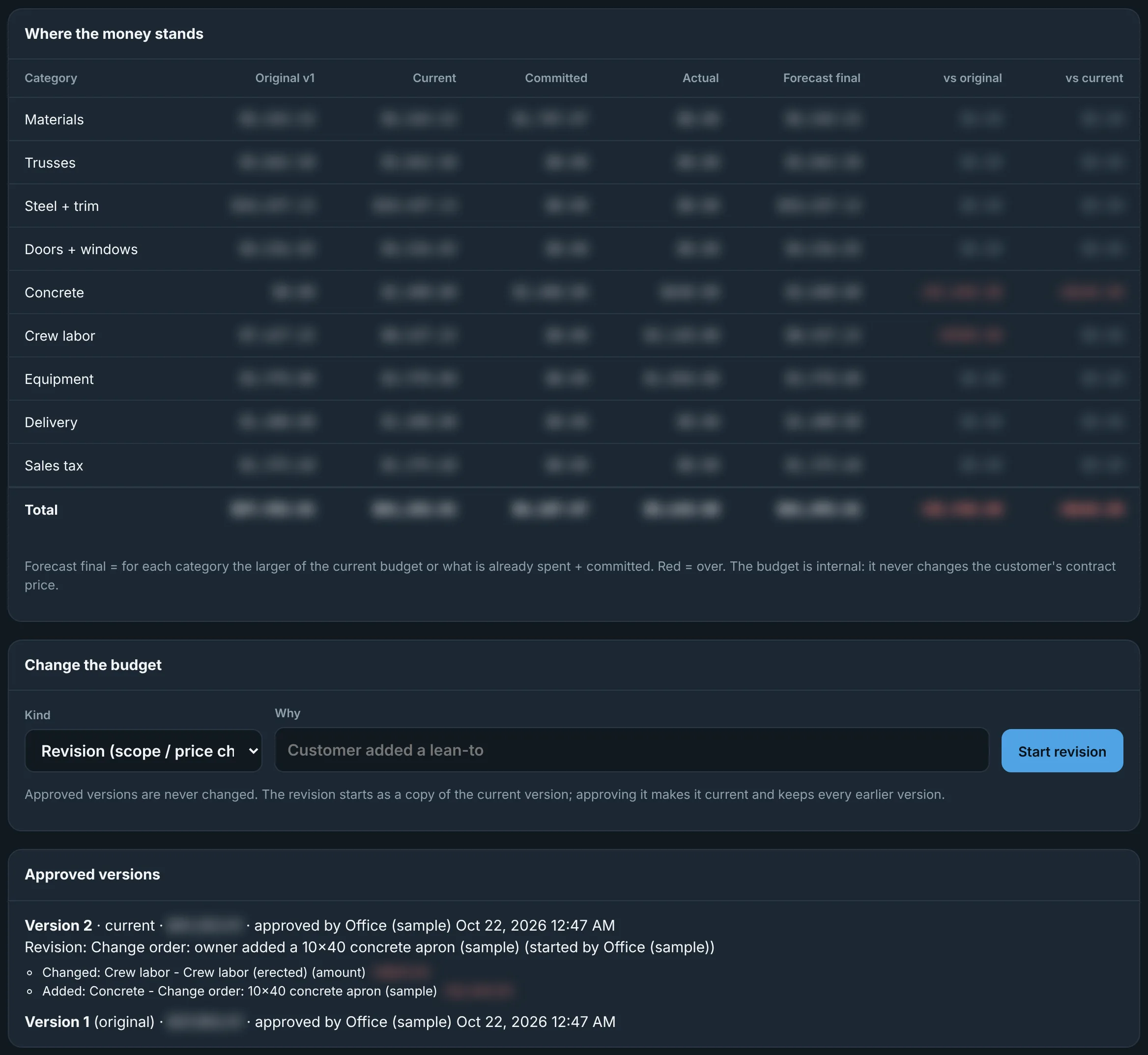
Won projects become jobs on the board. Book them on the schedule, assign crews, buy materials from the job's own list, receive deliveries with photos, and watch the budget against committed and actual costs. Crews clock in and see their tasks on their phones.
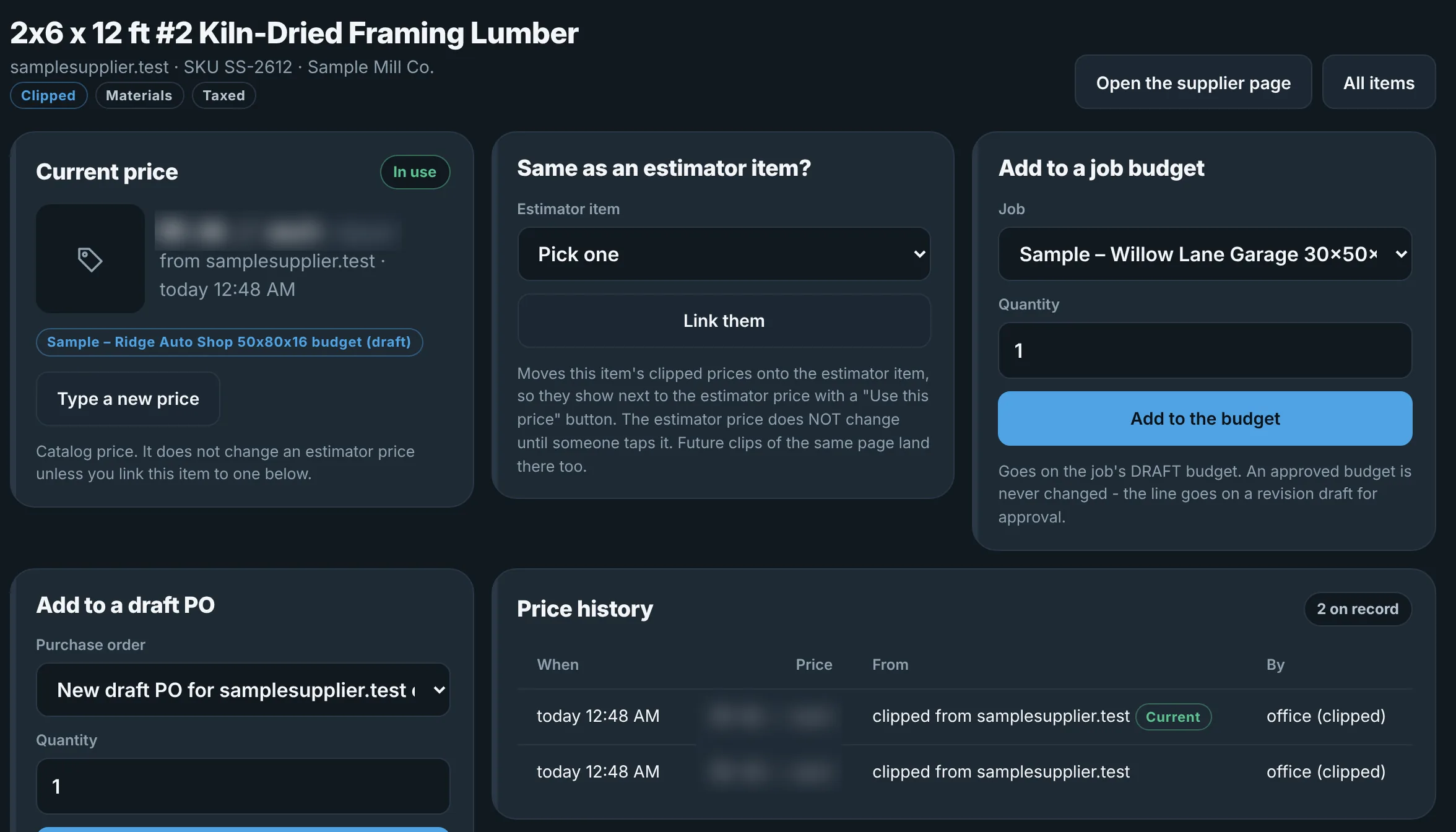
Clip a supplier's product straight into your catalog.
- Clip. Signed in to CoreBraced, tap your personal clip button on a supported supplier's product page (browser bookmark or iPhone Shortcut). The clip is saved right away.
- Check it. CoreBraced opens showing what it saved (product, price, unit, page). Fix any field there, move it to another job budget or PO, or undo it.
- Keep the history. The item lands in your material catalog with its price history.
- Use it. Add it to a draft job budget or draft purchase order, or compare it with the estimator's price.
Works on supported supplier pages, not every website. Quantities are entered by you, nothing is ordered, and the estimator's price changes only when an authorized person chooses "Use this price".
Built in the field
Close enough isn't good enough.
CoreBraced is built and used inside a working construction company, to fix what goes wrong when contractors quote, buy materials and build real work.
Built by Core.
Availability
In use with select contractors. Being developed for broader contractor use.
CoreBraced is currently in use with select contractors and is being developed for broader contractor use. There are no public accounts, subscriptions or published prices yet. If you'd like to see it, request a private walkthrough.
Waitlist
Hear when CoreBraced opens to more contractors.
Leave your email and we'll let you know when CoreBraced is ready for more contractors. That's all we'll use it for.