Operations
Run the job on the same record you sold it on.
A job is created when its project is marked Won, or by the office with Create job. It carries the customer, the estimate, the material list and the budget. The office plans and buys from it; the crew works from it on their phones.
- In use internallyImplemented and operating at VEIL Construction Group.
- Being testedBuilt; verification or device testing still open.
- Coming nextThe next planned specialty. Not built yet.
- PlannedNot yet implemented.
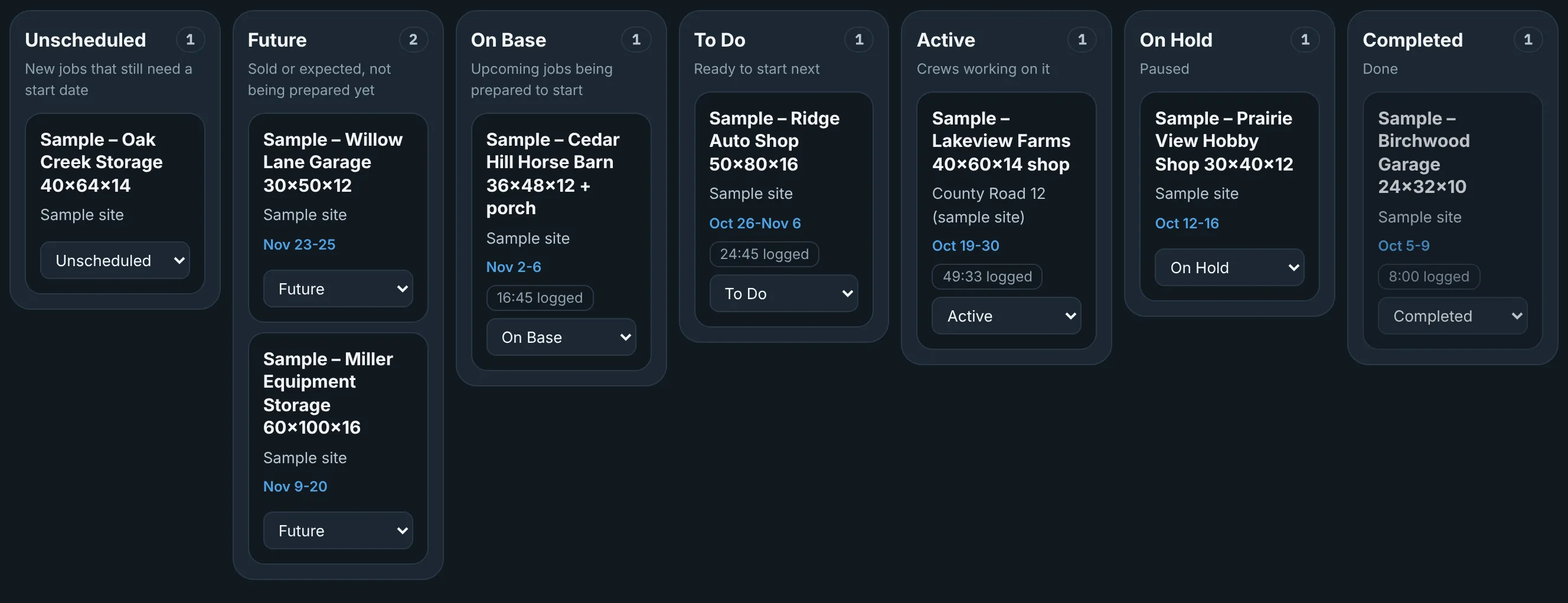
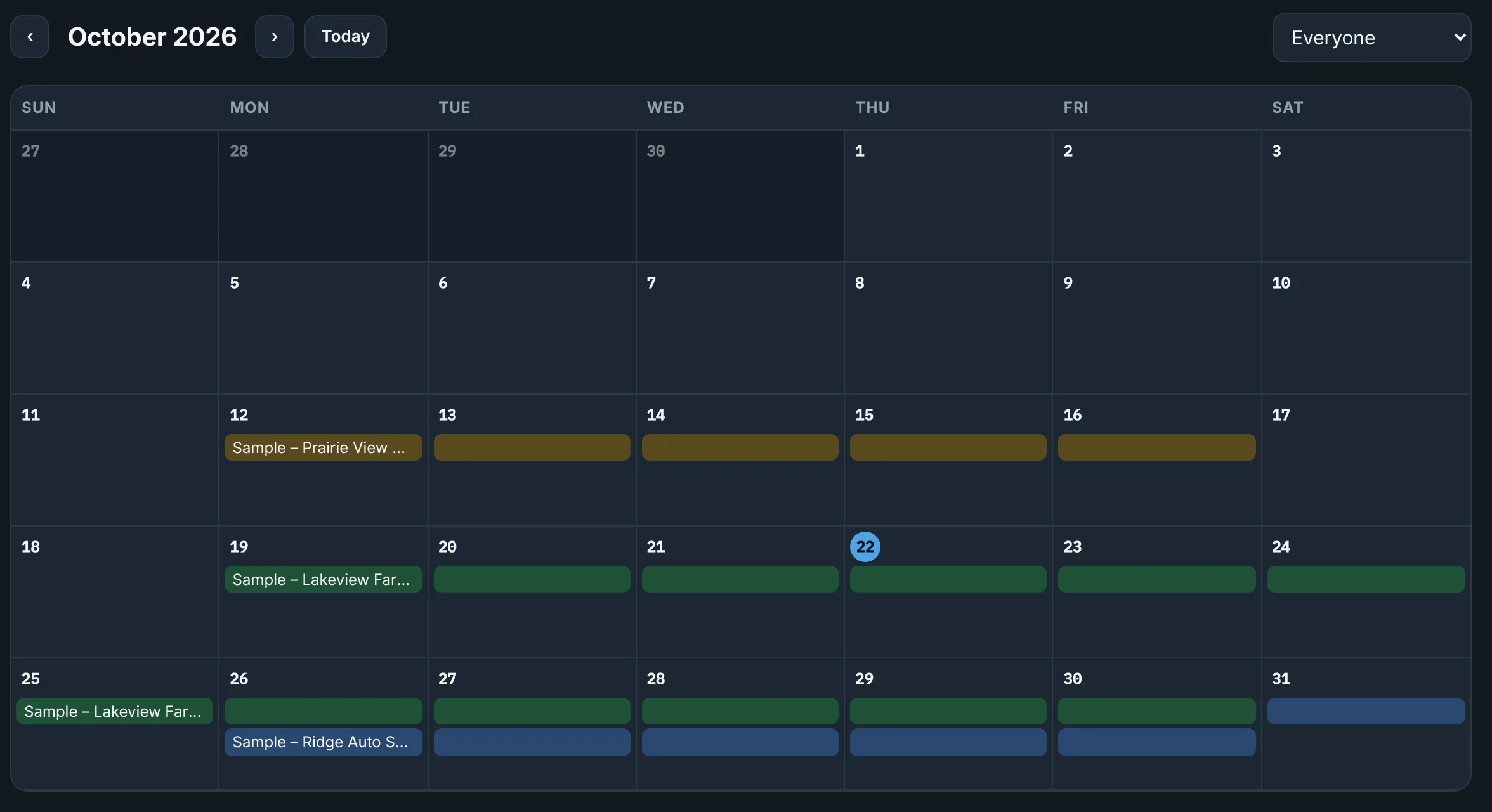
Job board, schedule and crew assignments.
Every job sits on one board by stage. Book it on the schedule, assign the crew, and open the job record to see the customer, quote, plans, materials, budget, tasks and field reports in one place.
- Job board by stage. A job is created when its project is marked Won, or with Create job.
- Schedule with crew assignments.
- One project record shared by the office and the field.
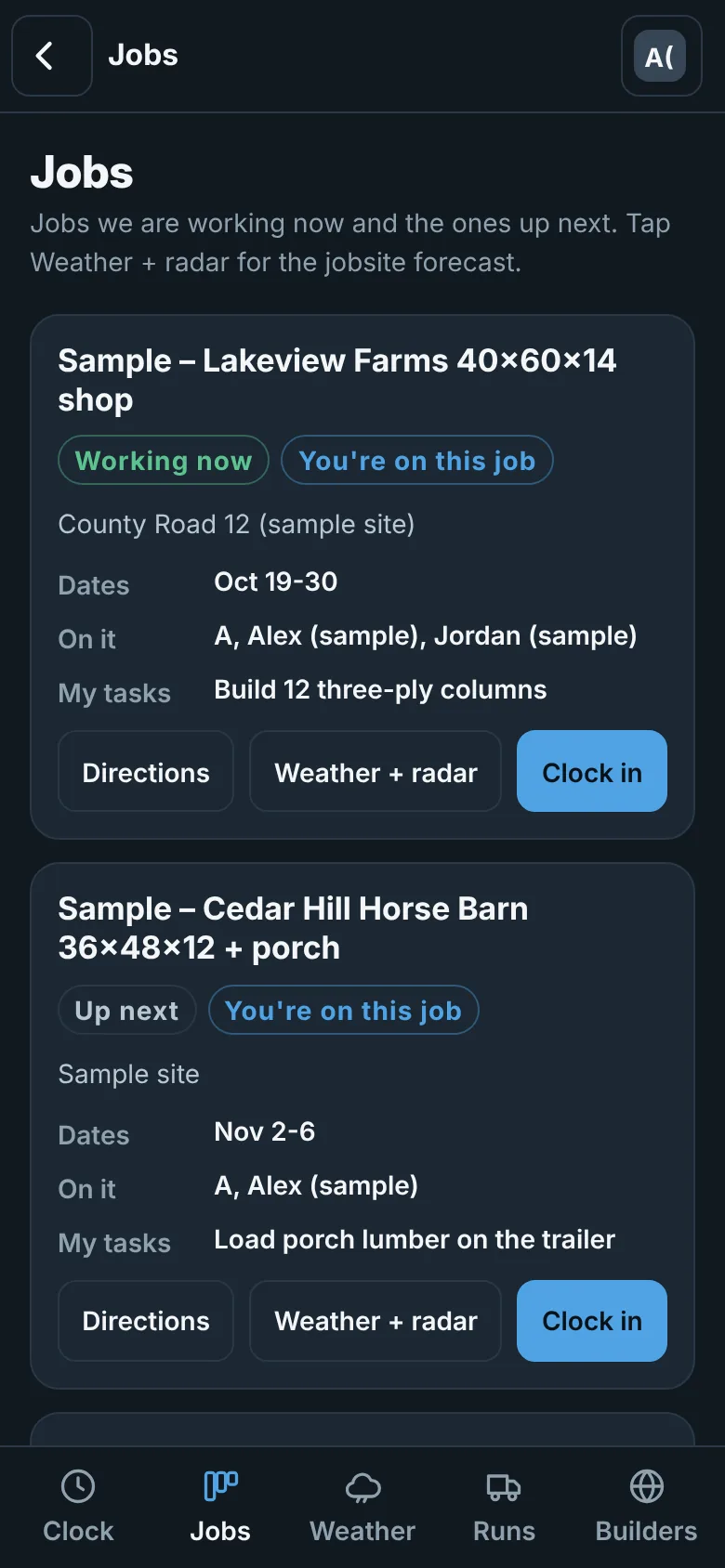
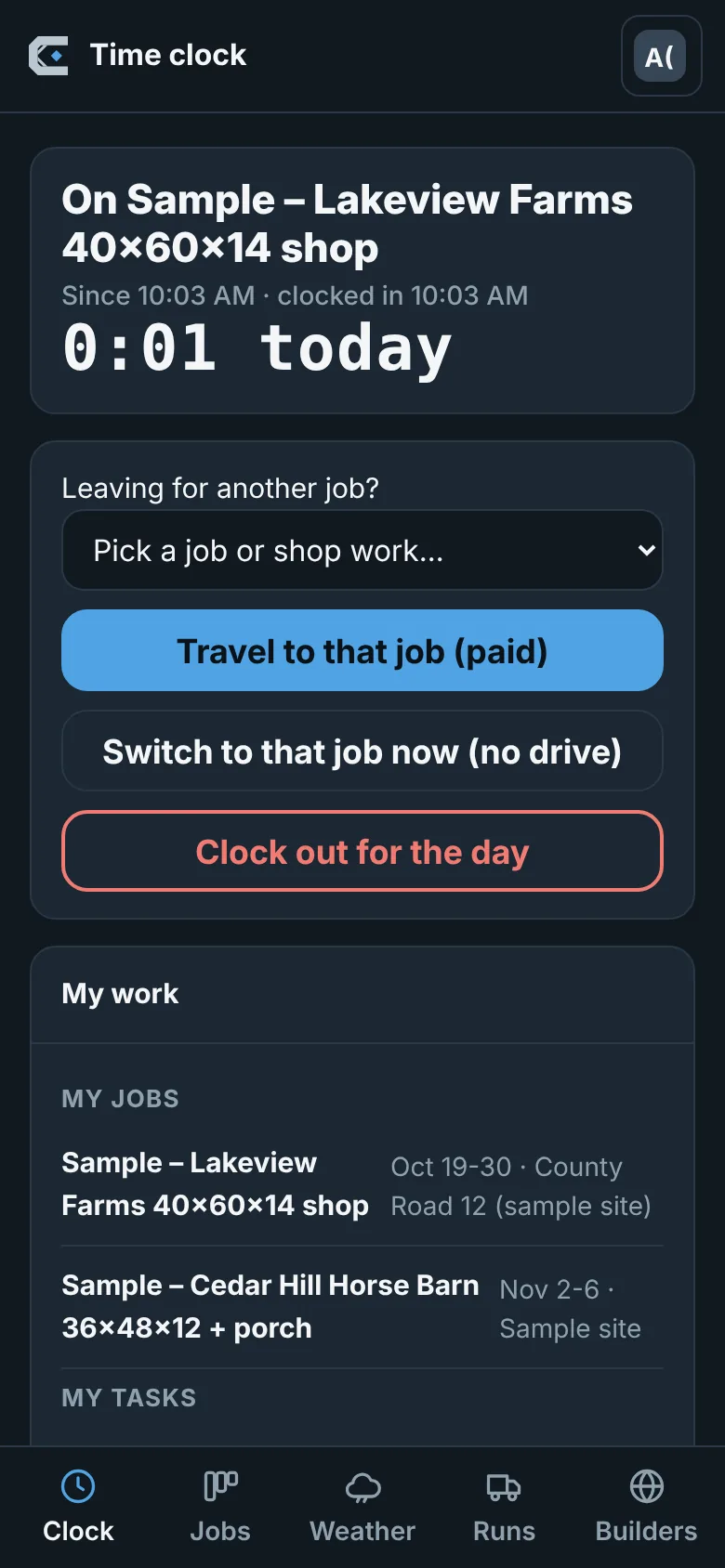
The crew's phone is part of the job.
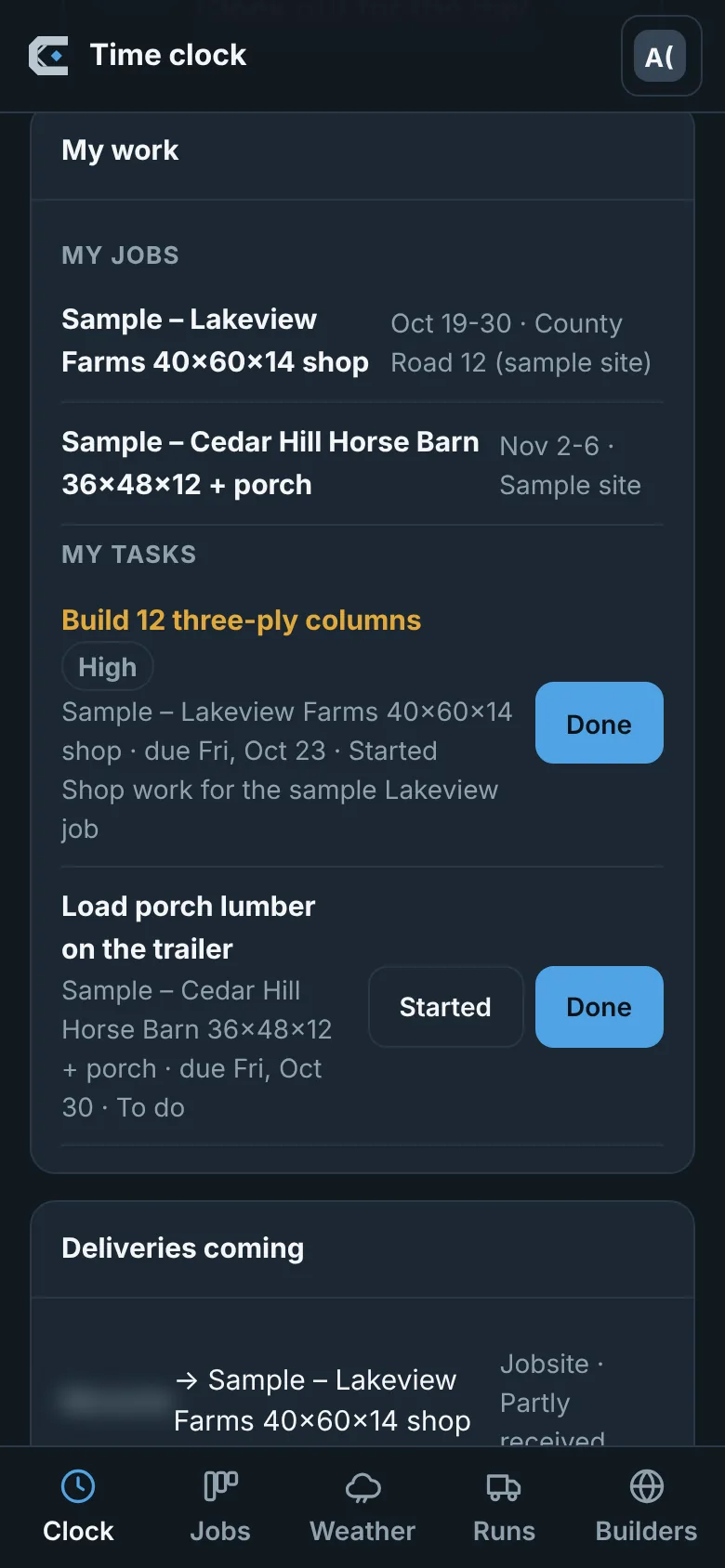
Crews see their jobs and tasks, clock in and out against a job, and file field reports with site conditions from the jobsite. The office sees the same job on the desktop.
- Employee tasks with plan sheets attached.
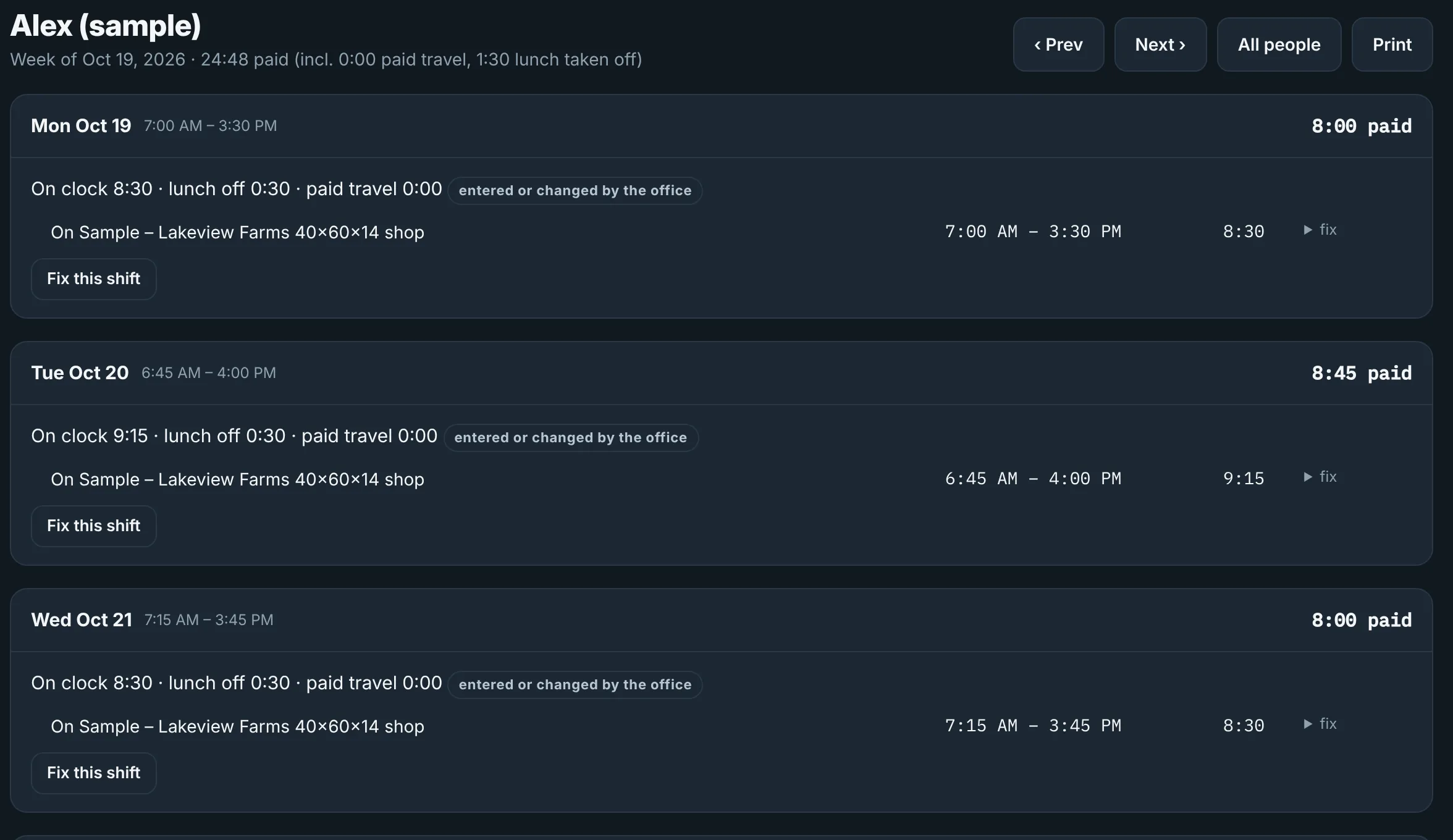
- Mobile time clock by job, with a payroll export.
- Field reports and site conditions.
- Jobsite weather on the job.
Hours are recorded and exported; they are not turned into labor costs automatically.
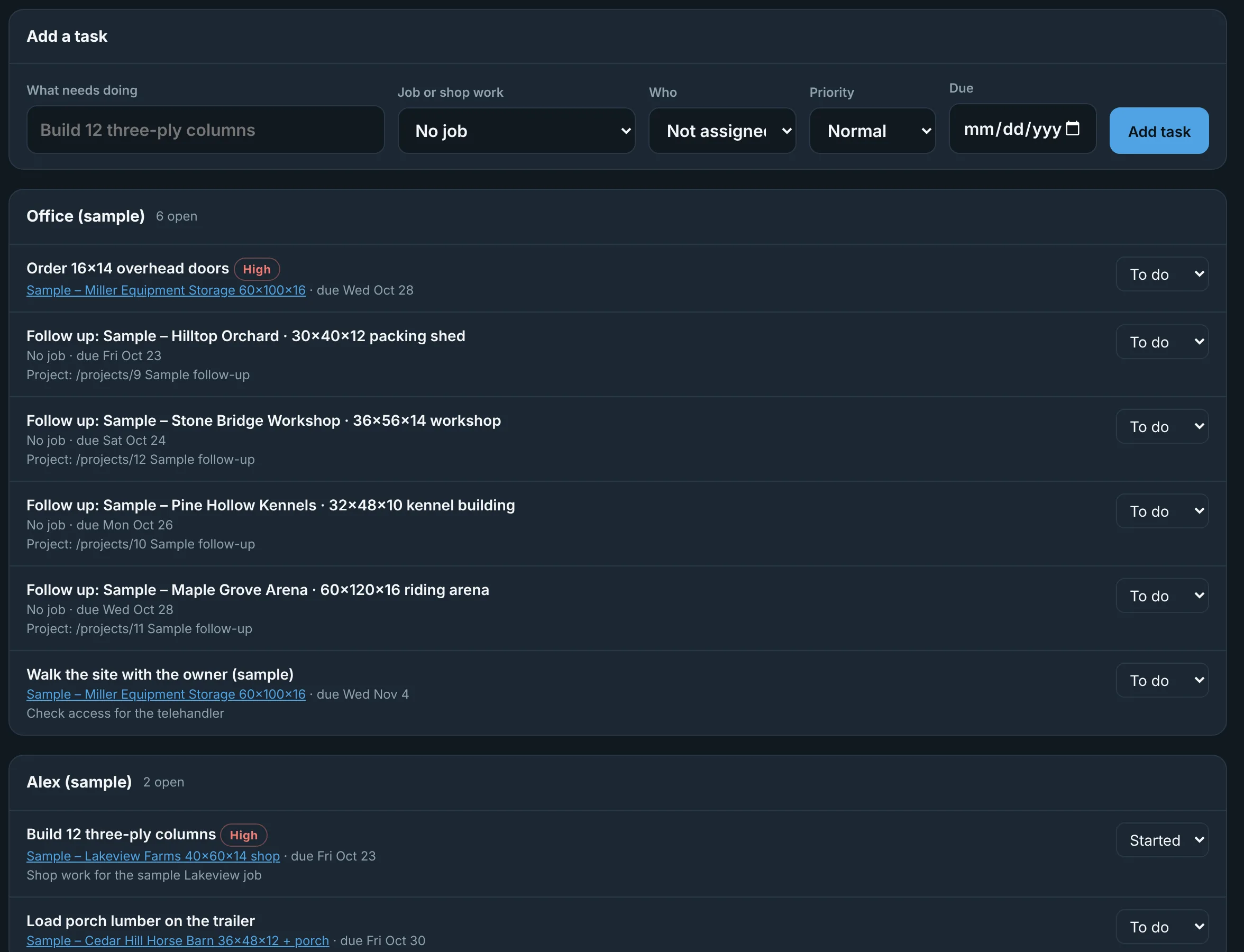
Tasks on the desktop, weather on the jobsite.
Assign work to people on a job and follow it to done. Each job shows the forecast for its site so the schedule can move before the crew shows up to rain.
- Weather-delay records: a PDF of the recorded weather for the delay days, each fact with its source and time, plus the office's notes.
A weather-delay record documents what happened. It is not a claim that a contract allows extra time or money.
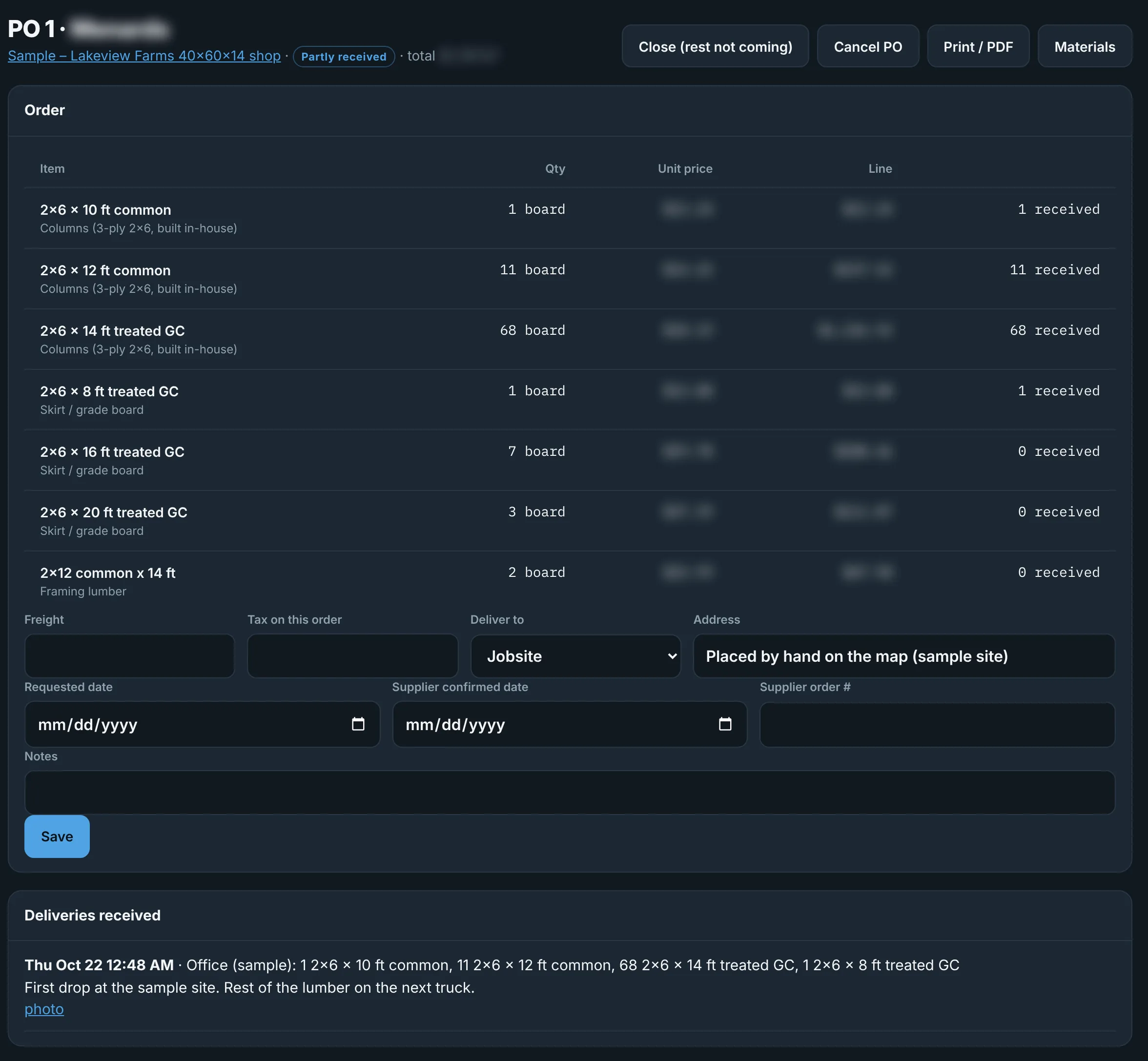
Material list to purchase order to delivery.
The job loads its material list from the estimate. Check the lines you're buying and they become draft purchase orders by supplier. Approve them, place the order with your supplier, then receive the delivery with photos.
- Material lists from the estimate.
- Draft purchase orders and approvals.
- Deliveries and receiving with photos.
You place the order with the supplier. CoreBraced tracks it and never sends anything to a supplier.
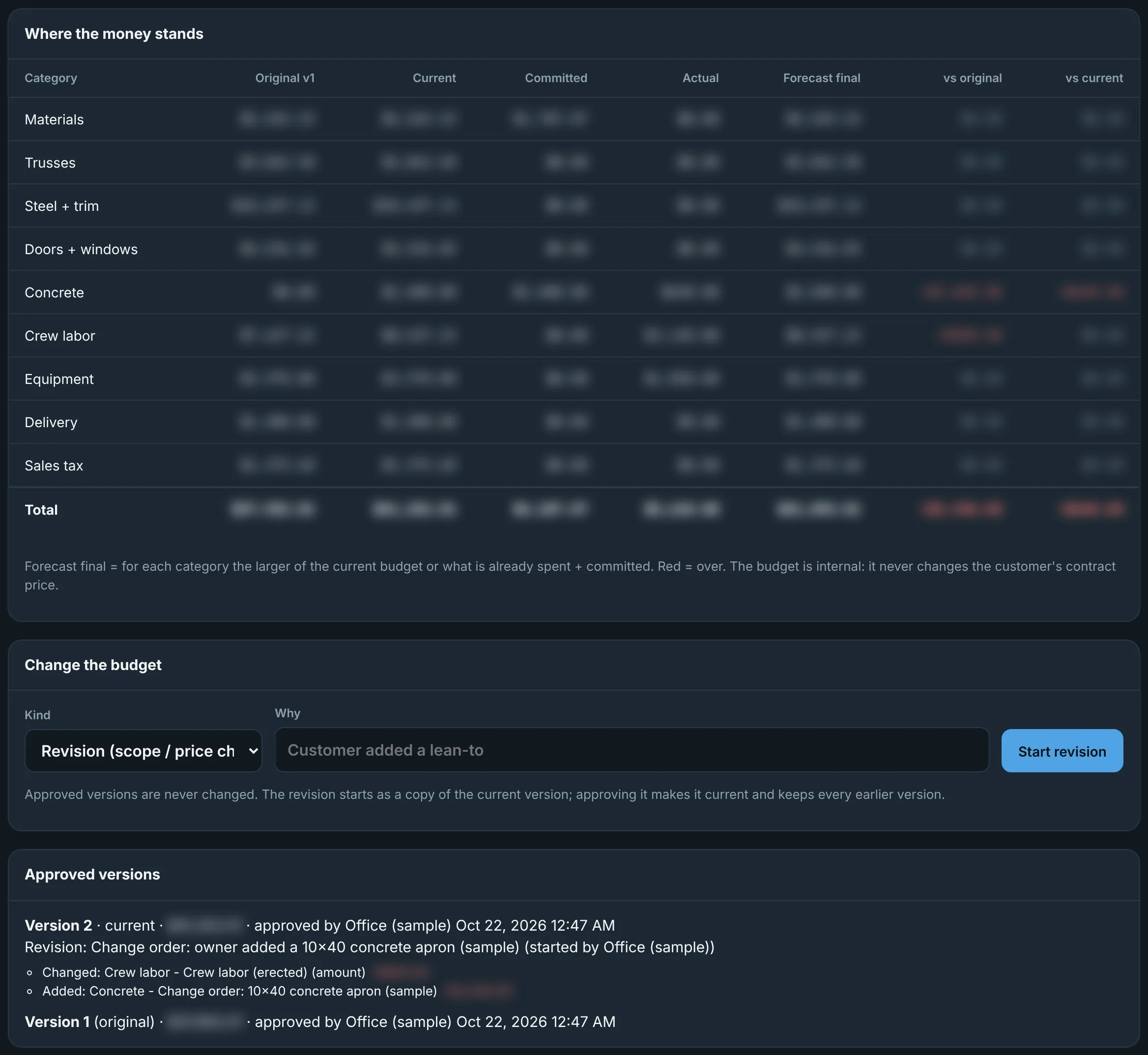
Original budget, revisions, committed and actual.
The budget starts from the quote. Revisions are kept as versions, purchase orders count as committed, recorded costs count as actual, and the forecast shows where the job is heading.
- Original and revised budgets.
- Committed and actual costs by category.
- Forecast at completion.
What it doesn't do yet.
- No accounts for other companies yet; CoreBraced runs one company today.
- No public sign-up or licensing.
- No texting or emailing customers from inside CoreBraced.
- No workflow automation builder.
- No QuickBooks or accounting connection.
- No automatic supplier ordering or invoice matching.
- No customer invoicing or profit-per-job reports.
- Crew plan sheets are not engineered or permit-ready.
All screens are real CoreBraced screens with fictional sample jobs, crews and customers. Prices, costs and supplier names are blurred or never shown.
See a job run from contract to cost.
Tell us how you schedule, buy and track jobs today.